
The infusion pump is one of the most used medical devices in a hospital. It is therefore essential that the infusion pumps are tested for functionality and electrical safety. In this blog, I will tell you more about how you can use the IDA-6 infusion pump tester to perform the functional test that is convenient for you. The IDA-6 is designed in accordance with IEC60601-2-24.
Workflow
Normally, when you are going to test an infusion pump, you are used to consulting the procedure that belongs to the device in question. You then perform this on the PC based on the procedure. After which you can link the report to the work order.
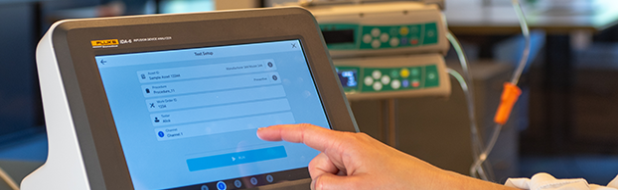
With the IDA-6, you can simplify your workflow. The IDA-6 is the computer and the test device in one. This ensures that you no longer need a PC to perform the procedure. The procedure is already integrated into your IDA-6. All you have to do is log in to the IDA-6.
Connectivity OneQA
The IDA-6 comes with a free basic license for OneQA. This allows you to synchronize 5 procedures in the IDA-6 as standard. Do you have an extensive license for OneQA? Then you can synchronize an infinite number of procedures from OneQA with your IDA-6.
How does that stand-alone synchronization work? You log in to your OneQA account on the IDA-6 while you have an internet connection via the WiFi dongle. The IDA-6 then synchronizes with the most up-to-date procedures in OneQA.
When you have finished performing your procedures, the test results are automatically saved in OneQA. You can also find the report here. Do you have a link between Ultimo IFS and OneQA? Then the report is also automatically placed in Ultimo IFS. Don’t you work with Ultimo IFS or an extensive OneQA license? No problem, you can also have the report automatically uploaded to a (network) folder of your choice. You can set the file location per procedure.

Multi-channel testing
With the predecessor of the IDA-6, you could already test multiple infusion pumps at the same time. Now you can even perform complete procedures on multiple channels simultaneously and reports are automatically written to the location you want. And all this without the intervention of a PC.
Would you like to know more about how the IDA-6 can optimize your workflow? Please contact us for an on-site demonstration or trial placement.
